Author: Rhea Patel
Site: Microsoft News

✨✨ امکانات جدید کوپایلوت در ویژوال استودیو 2022 نسخه 17.11
چند روز پیش نسخه ۱۷.۱۱ ویژوال استدیو ریلیز نهایی شد (البته همون وقع ۱۷.۱۲ به کانال preview اومد) اگر شما هم کاربر گیتهاب کوپایلوت هستید و برای اطلاع از امکانات جدیدش کنجکاوید، همراه شید:
🫧 نسخه جدید امکانات و درک بهتری برای پرسوجو و بررسی کد داره، خصوصا در مورد سیشارپ! یک یادآوری: وقتی از codepilot استفاده میکنید با تایپ workspace@ میتونید در مورد فایلهایی که تو پوشه وجود داره سوال کنید. مثلا میشه گفت:
@workspace what services I developed, but were not injected in my startup class
حالا میشه سوالات جزئیتری پرسید، مثل:
@workspace What project can I run in my solution?
@workspace In my workspace, where is #methodnameme** referenced?
@workspace Where does serialization occur in my solution?
ویژگیهای جدید:
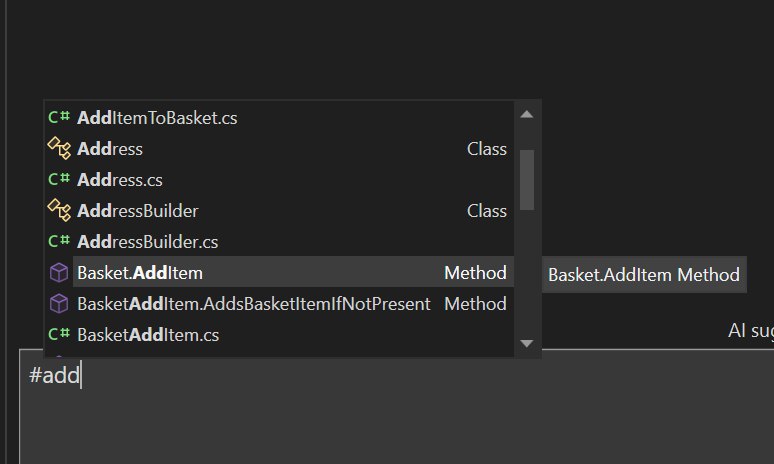
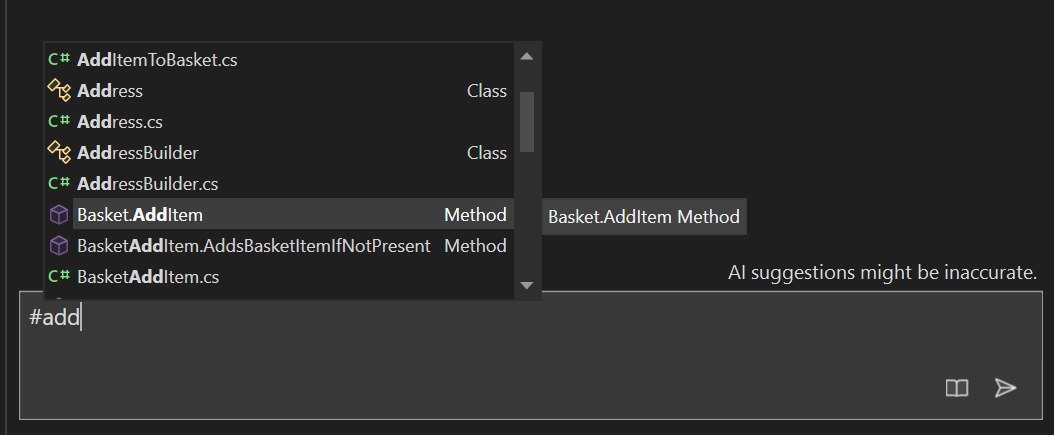
🔸 کوپایلوت چت: دیگه مستقیماً از copilot درباره متدها، کلاسها و توابع خودتون سوال بپرسید. مثلاً اگر نیاز دارید عملکرد یک تابع را درک کنید، میتوانید از کوپایلوت بخواهید توضیح بده که چه کار میکنه و چجوری ازش استفاده کنید. کافیه یه # قبل از اسم متد بگذارید، مثال:
- I have a test method named #methodName. How can I ensure that it’s being executed correctly?
- What are some optimizations that could be applied to #methodName?
- How does #methodName1 use #methodName2 and what issues should I look out for?
- /explain #methodName
🔸 درک و تفسیر بهتر از پروژه: کوپایلوت دیگه میتونه کل پروژه شما را بررسی کنه و با توجه به ساختار و ارتباطات کدها، پیشنهادات دقیقتری ارائه بده. به عنوان مثال، اگر بخشی از کد شما به چندین فایل مختلف مرتبط است (.pertial class, etc)، کوپایلوت میتونه این ارتباطات را شناسایی کرده و پیشنهاداتی بر اساس کل پروژه ارائه بده.
🔸 پیشنهادات بر اساس وب: اگر کوپایلوت نتونه خودش پاسخ دقیقی از دل کد شما پیدا کنه، میتونه بره سراغ وب و با سرچ کردن تلاش کنه تا طلاعات تکمیلی برای پاسخ به سوالات شما ارائه بده. مثلاً اگر از کوپایلوت درباره یک کتابخانه خارجی سوال کنید، ممکنه از طریق جستجو در وب اطلاعات مربوطه رو پیدا کنه.
🔸 بهبود تفسیر کد: کوپایلوت حالا بهتر از قبل میتونه کدهای پیچیده را تجزیه و تحلیل کنه و توضیحات واضحتری ارائه بده. مثلاً در مواجهه با یک الگوریتم پیچیده، میتونه قدم به قدم توضیح بده که هر بخش از کد چه کاری انجام میده.
برای اطلاعات بیشتر و دیدن مثالهای بیشتر میتونید به وبلاگ مایکروسافت مراجعه کنید.
GitHub Copilot in Visual Studio 2022 17.11 now offers an improved experience you to refer to their methods, classes, functions, and entire solution directly within the chat. By using the # symbol followed by the name of a method, class, or function, or by referring to your solution with @workspace, you can provide specific context that helps GitHub Copilot better understand their code and the problem at hand.
Refer to your solution
GitHub Copilot Chat now allows you to refer to your entire solution. This feature helps provide an even deeper understanding of your solution to get the best results. To refer to your solution, simply use the @workspace and Copilot will answer high level questions about your solution, files and how they work together.
Try asking GitHub Copilot Chat questions like:
- @workspace What project can I run in my solution?
- @workspace In my workspace, where is #methodname referenced?
- @workspace Where does serialization occur in my solution?
Reference your methods, classes, functions
GitHub Copilot Chat now allows you to refer to your methods, classes, and functions inline. By referring to methods, classes, and functions directly within the chat, you can provide specific context that helps GitHub Copilot better comprehend your code and the problem at hand. This feature empowers you to provide richer context to GitHub Copilot, enabling it to deliver more precise responses by gaining a deeper understanding of your codebase.
Try asking GitHub Copilot Chat questions like:
- I have a test method named #methodName. How can I ensure that it’s being executed correctly?
- What are some optimizations that could be applied to #methodName?
- How does #methodName1 use #methodName2 and what issues should I look out for?
- /explain #methodName
Search the web in Copilot Chat
GitHub Copilot now includes context from your entire repository & can search the web.
GitHub Copilot Enterprise subscribers in Visual Studio can now use GitHub Copilot Chat to get answers enriched with context from their entire repository and Bing search results.
Get answers from across your entire codebase
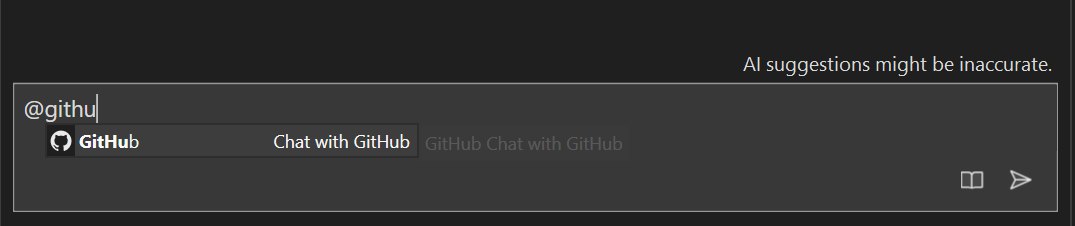
GitHub Copilot Chat can now answer questions with understanding of your full repository, not just the tabs you have open. Index your repository on GitHub.com, and then ask a question mentioning @github. You can ask questions like @github where is rate limiting implemented?
Search with the context of the web
GitHub Copilot chat can also search Bing to find information outside of its general knowledge or your codebase. When you mention @github, GitHub Copilot will intelligently decide when to use Bing. You can ask questions like @github what is the latest LTS version of .NET?
Bing search is only available if enabled by an administrator – for more details, see Enabling GitHub Copilot Enterprise features or read the docs.
Try it out today!
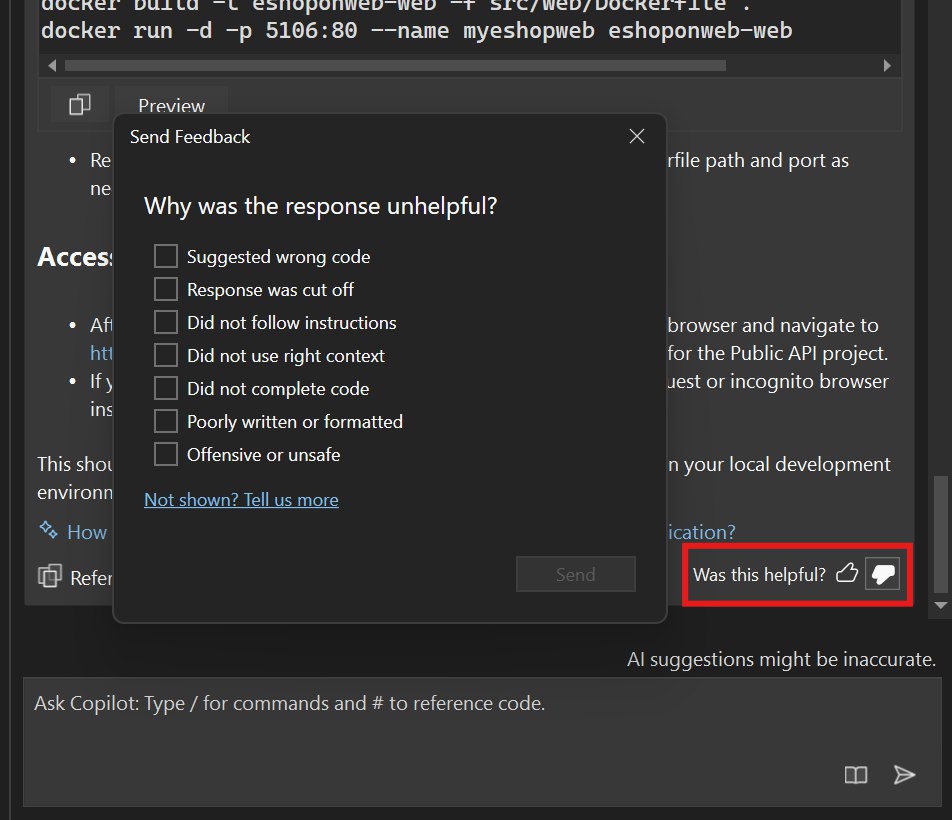
We hope you enjoy this new feature in GitHub Copilot for Visual Studio! Your feedback is important to us, so please share your thoughts using the thumbs up or down in the Chat, or by visiting the Developer Community. We look forward to hearing from you!
Happy coding!
We appreciate the time you’ve spent reporting issues/suggestions and hope you continue to give us feedback when using GitHub Copilot in Visual Studio on what you like and what we can improve. Your feedback is critical to help us make GitHub Copilot the best tool it can be! You can share feedback with us via Developer Community: report any bugs or issues via report a problem and share your suggestions for new features or improvements to existing ones.
Stay connected with the Visual Studio team by following us on YouTube, Twitter, LinkedIn, Twitch and on Microsoft Learn.